1data source
Sales, online channels and inventory run from the same base.
Items, prices, categories, QR menu, online orders and POS do not live in separate tables. Less manual work means fewer shift errors.
POS system for restaurants, cafes, bars, fast food and retail
iTable connects the register, tables, waiters, kitchen, bar, fiscal devices, inventory, QR orders, kiosk, queue display, reports and mobile workers. The owner sees the business, staff see the next task, and the shift runs in one flow.
What the owner gets
The biggest difference is not one payment screen, but that every order, payment, fiscal status, stock change and staff task stays connected through the daily report.
Items, prices, categories, QR menu, online orders and POS do not live in separate tables. Less manual work means fewer shift errors.
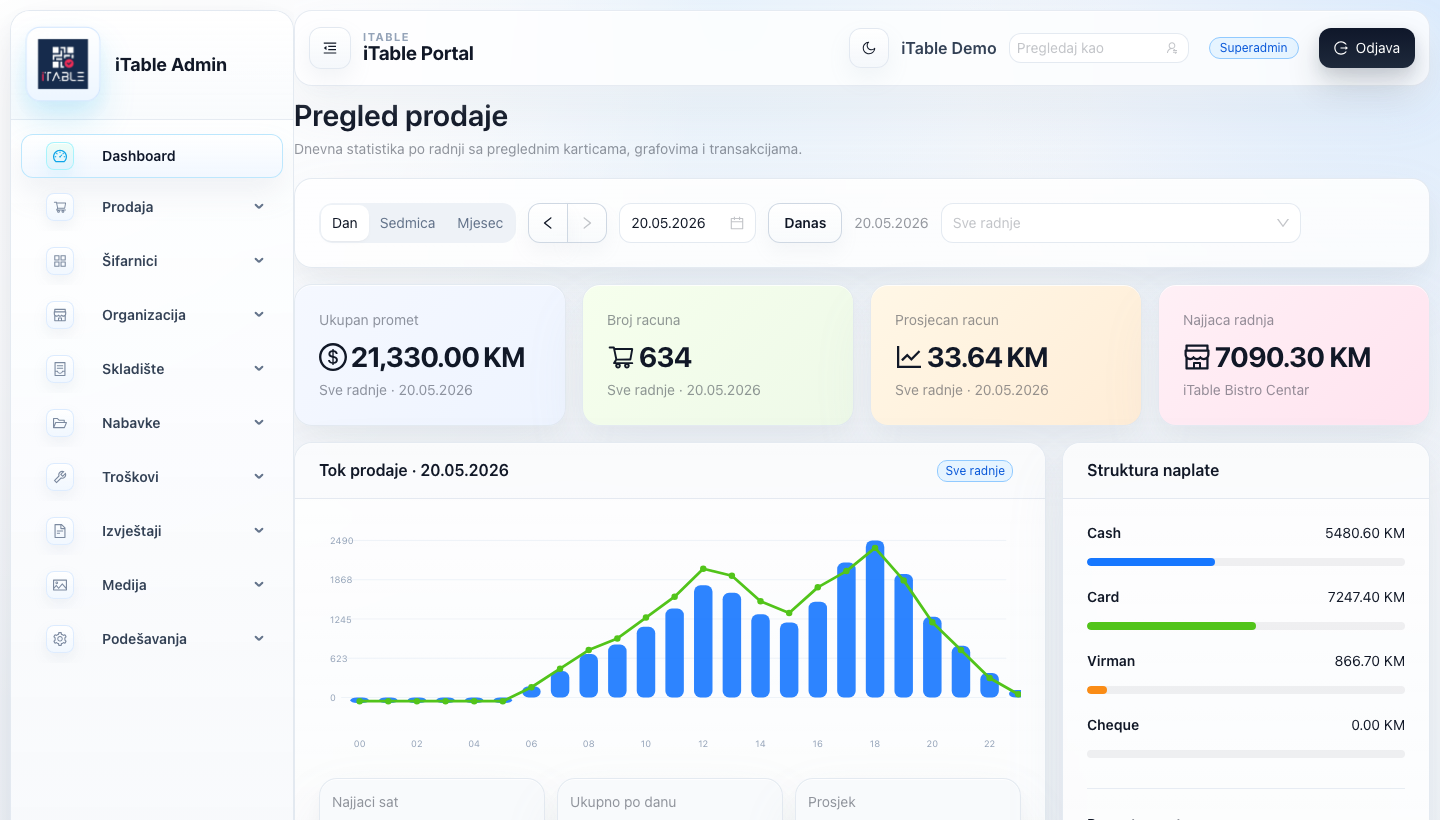
Revenue by location, payment methods, top items, stores, fiscal statuses and devices are available through admin and mobile views.
Manager is for overview and decisions. Worker is for shifts, tasks, counts and operational duties. Each role sees what it needs.
Real product features
The modules match the real iTable apps: admin portal, POS device, retail register, kiosk screen, kitchen and bar, queue display, plus separate mobile apps for management and workers.
Owner and manager work from one portal, without scattered sheets and separate login systems.
The POS device behaves according to its role: register, retail, kitchen, bar, TV or kiosk.
Kitchen, bar and pickup displays use the same order statuses and the same POS flow.
The kiosk does not live as a separate menu. It uses the same items, categories, statuses and fiscal flow.
Inventory is not an add-on after the register. Goods, receiving, write-offs, transfers and counts enter the same operating flow.
Management sees numbers and documents; workers see only the work that needs to be completed in the shift.
Value for money
iTable is built to combine modules that are often paid for separately: register, kitchen, kiosk, queue display, mobile apps, inventory, reports and support. When the same scope is compared, the goal is lower total cost and a better operational result in the shift.
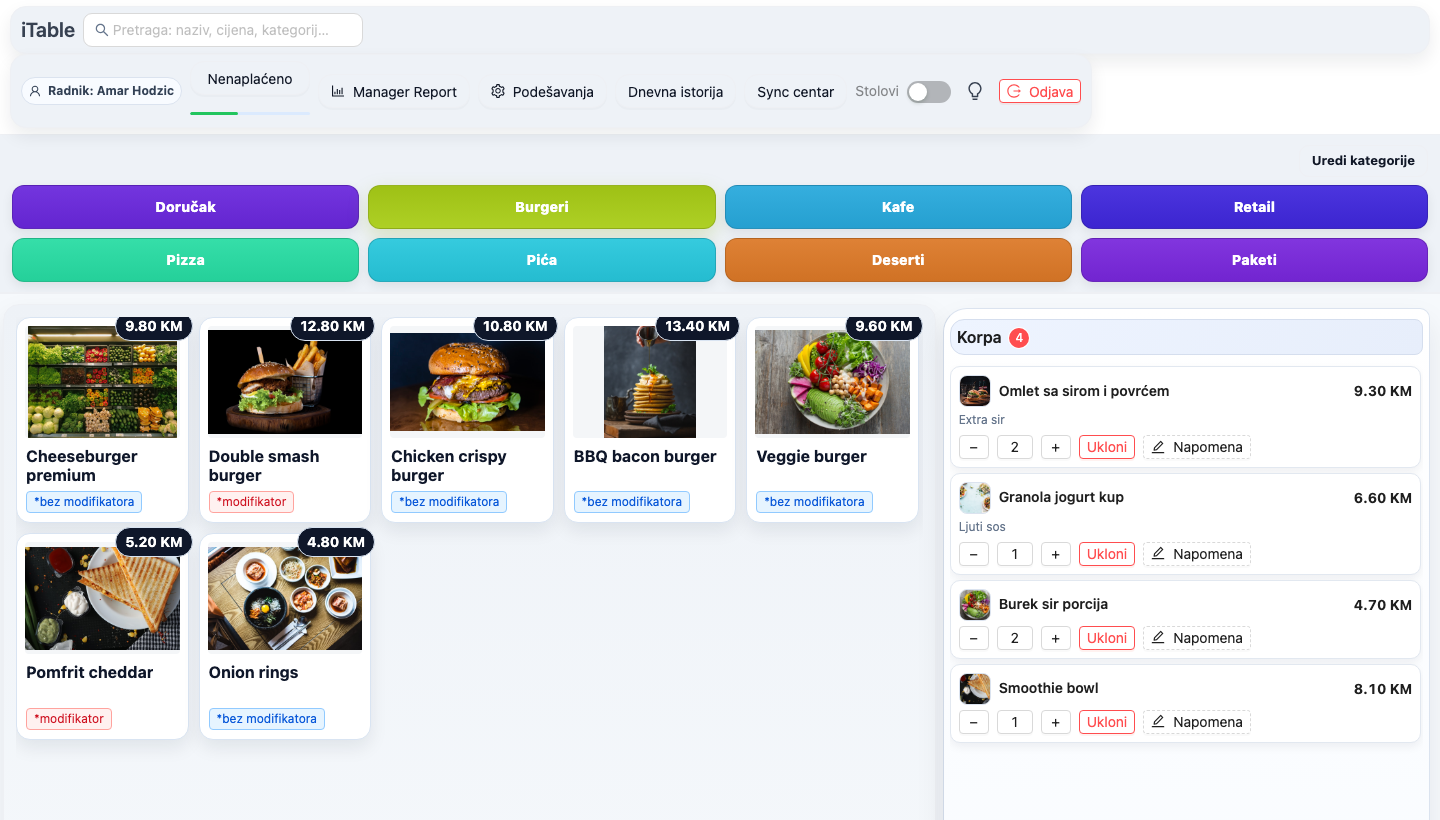
The base for every venue. Shifts, waiters, discounts, modifiers, fiscal flow and open checks run from the same device.
Tickets without rewriting. Items are sent to the right screen or printer, with preparation statuses and an overview of active tickets.
A digital order stays in the POS flow. Kiosk, pickup and queue display use the same items, prices and statuses as sales.
Overview without an extra BI app. Revenue, payments, devices, staff, locations, fiscal statuses and reports stay in the portal.
Goods follow sales. Receiving, transfers, requisitions, write-offs, counts, recipes, stock balances, calculations and price adjustments are connected to the operation.
Less manual entry. The manager photographs an invoice, the system recognizes the supplier and items, creates a draft receiving document and stores the original.
Each role gets its own screen. Owner and accountant see numbers; workers see tasks, counts and shift order.
Hospitality and retail can work together. Barcode, quantities, items and stock enter the same sales and reporting flow.
AI for supplier invoices
This is the most valuable part for venues that spend time manually entering purchases: iTable stores the scanned invoice, maps the supplier and items from the existing database, and leaves control to the manager before posting.
Operational flow
iTable is built for a real day in a venue: rush hours, printers, fiscal devices, waiters, bar, kitchen, online orders and an owner who needs the numbers.
Real product
Register, retail, kiosk, queue display, kitchen, admin and two mobile apps are shown as working devices, with rich anonymized demo data.
Fast payment, categories, modifiers, cart, worker, shift and fiscal flow from the same sales screen.
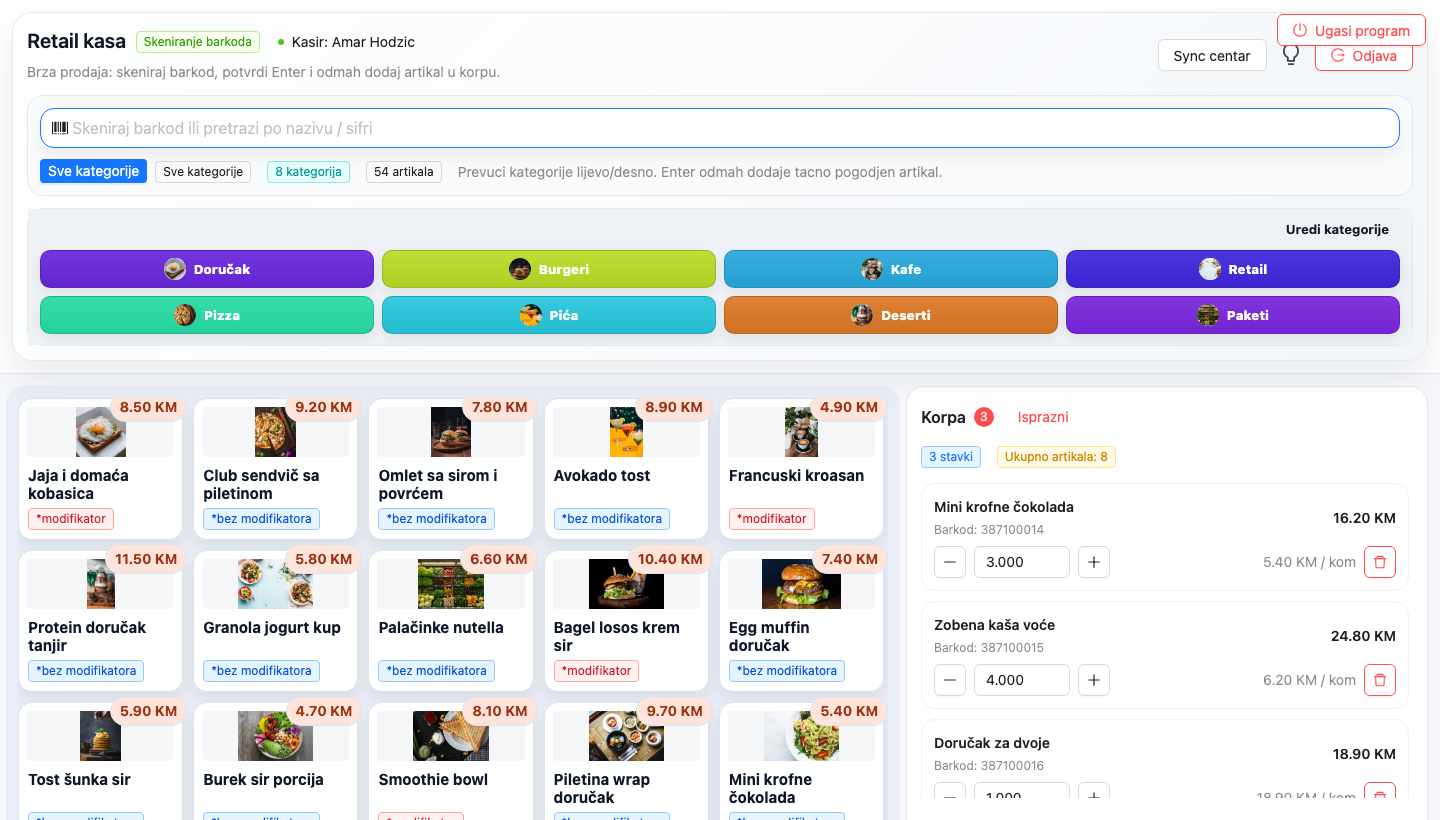
Retail mode for barcode, quick search, stock, quantities and items sold alongside the hospitality flow.
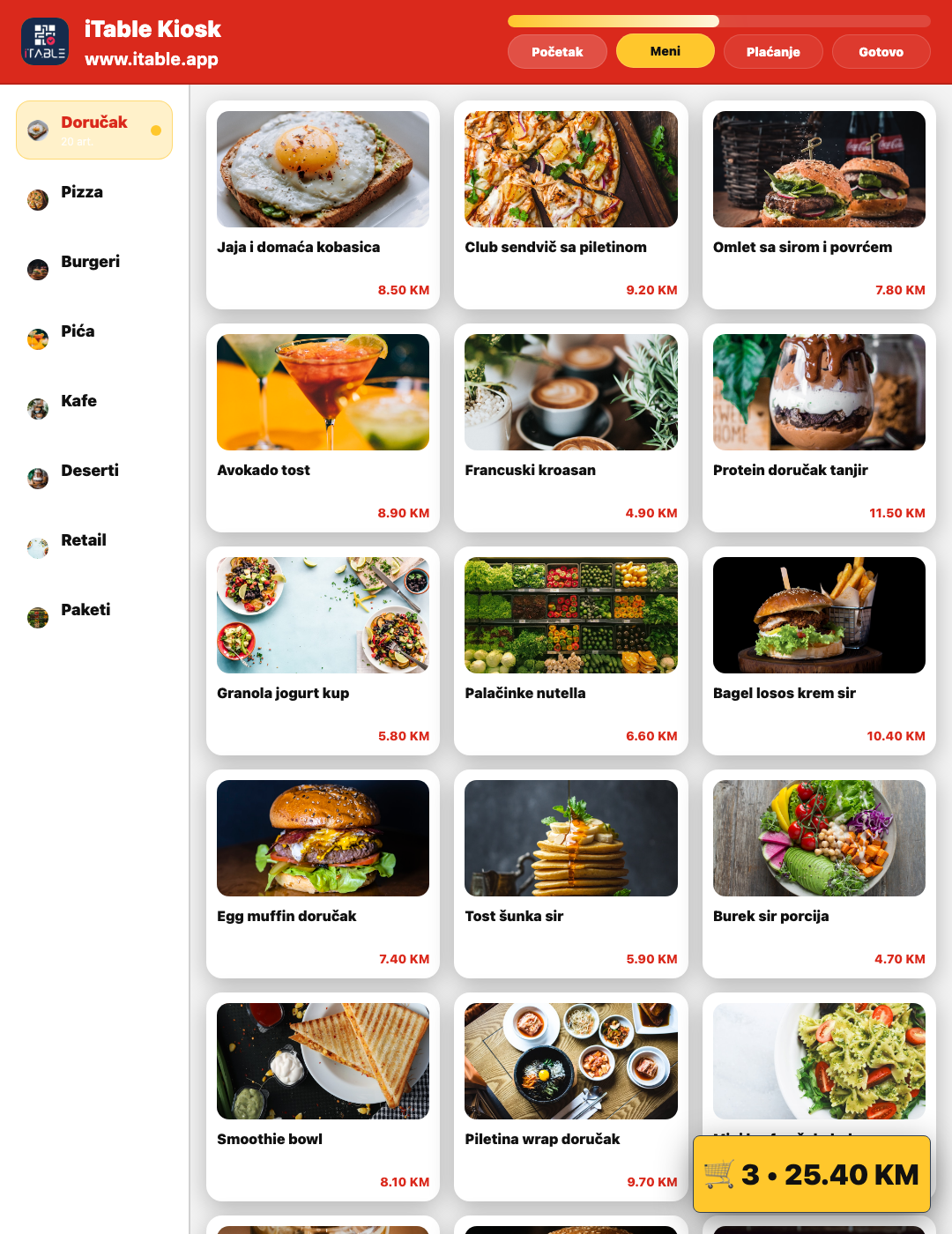
Self-order screen with photos, categories, cart and the same catalog used by POS.
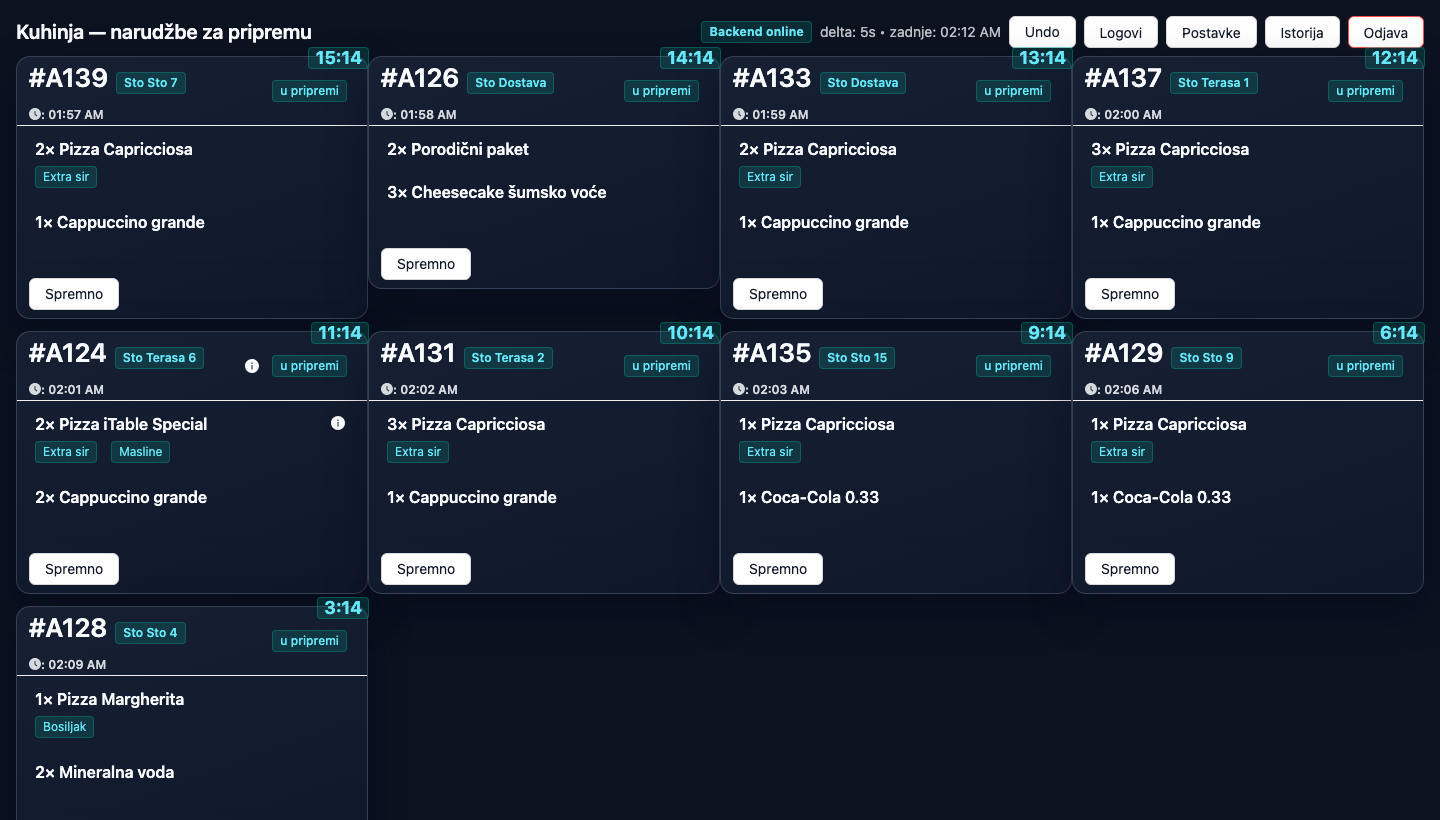
Multiple order columns, statuses, waiting time, tables and preparation items without paper.
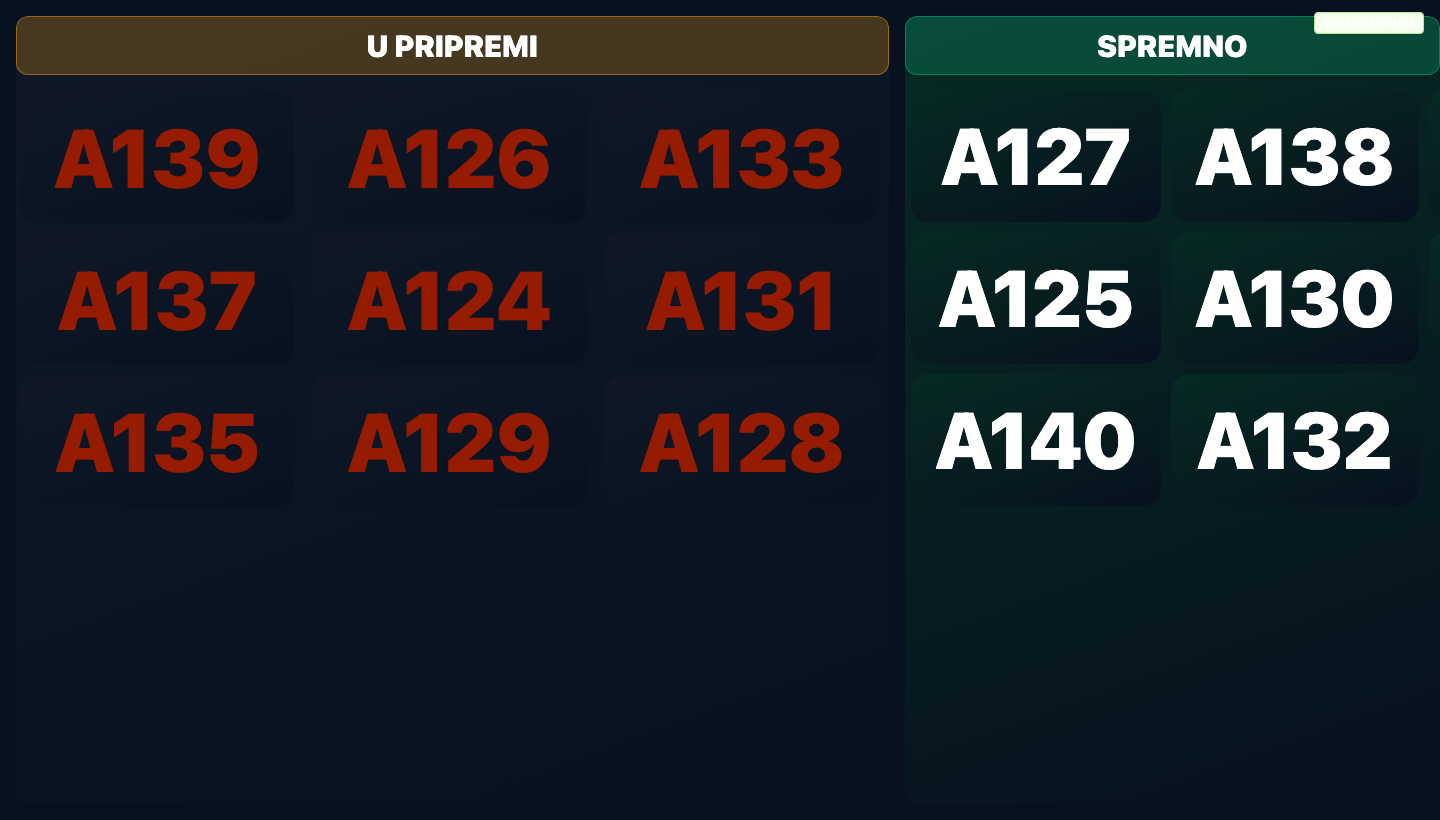
Clear display of numbers in preparation and ready orders for fast food, pickup and larger rushes.
Revenue by day and store, charts, payment structure, transactions, devices, inventory and reports.
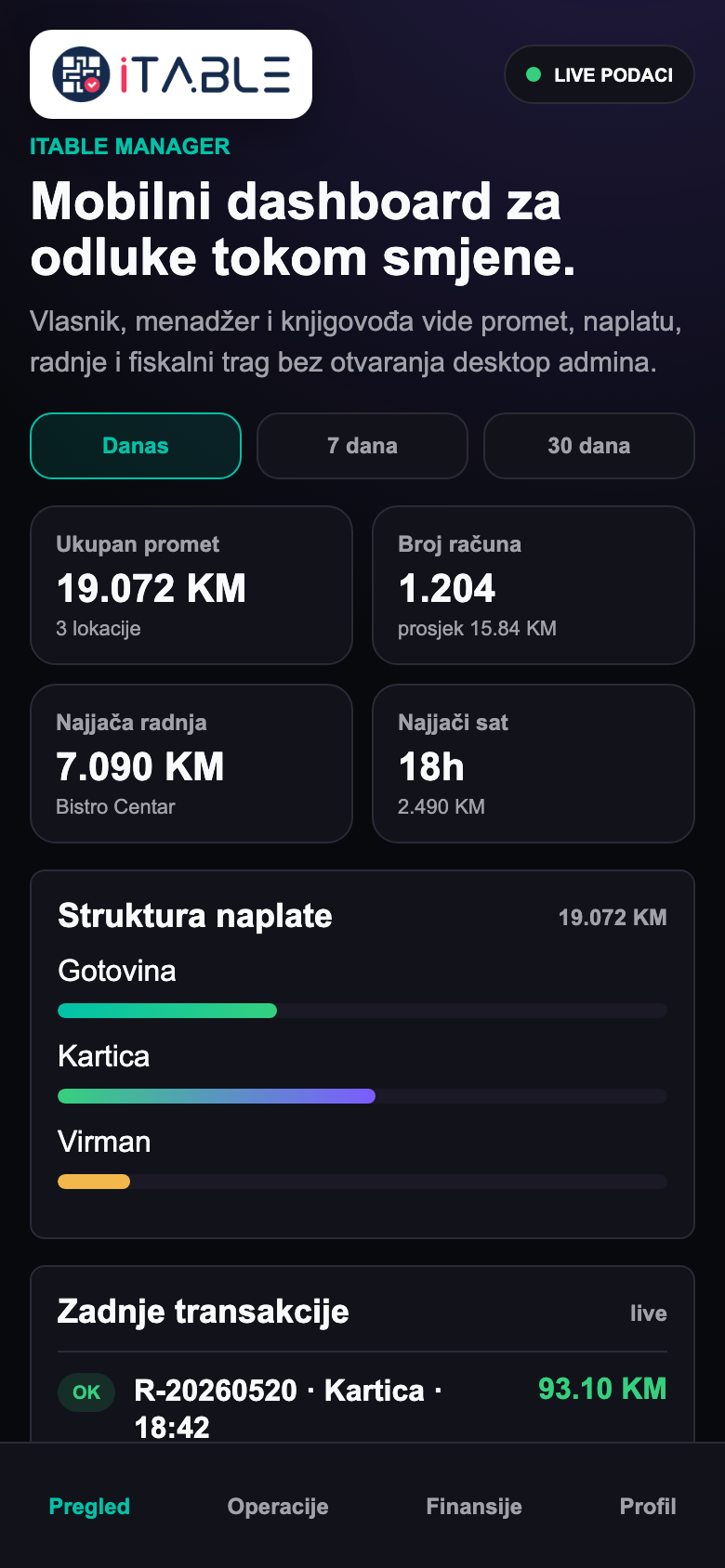
Owner, manager and accountant see revenue, locations, payments and transactions by role.
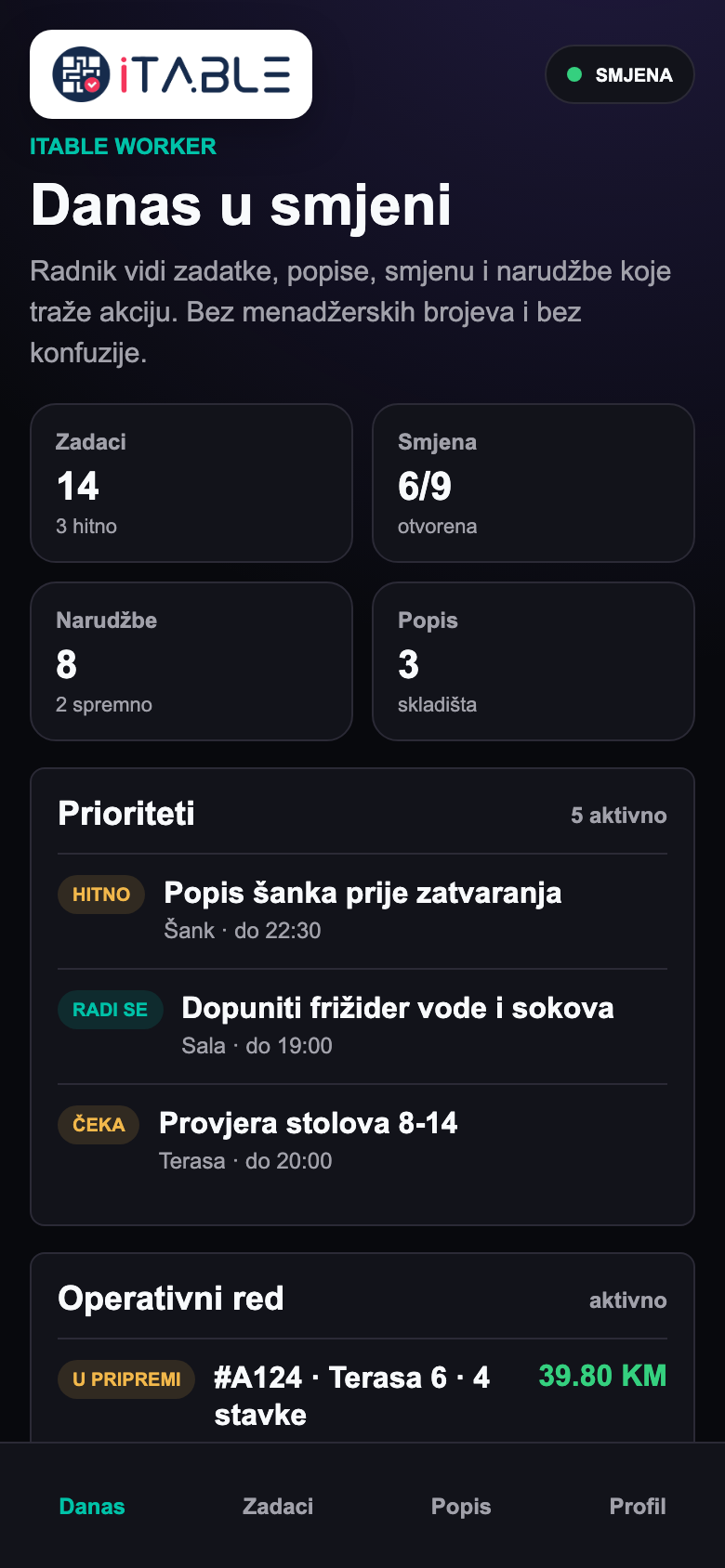
The worker sees daily duties, counts, shift and operating order without management data.
For different venue types
The demo is not a generic presentation. First we map how the venue really works: number of registers, tables, bar, kitchen, fiscalization, printers, stock, online channel and owner reports.
Tables, waiters, kitchen, split checks, recipes, daily revenue and reports by shift.
Fast payment, bar, drink stock, shifts, fiscal statuses and revenue by hour.
Order queue, kiosk, online orders, preparation, pickup and queue display for customers.
Items, barcodes, stock, purchasing, sales reports and workers by location.
Front desk, reservations, rooms, guests, folios, housekeeping, room service, spa, TV welcome and night audit.
Central admin, separate venues, devices, users, warehouses, access rights and consolidated reports.
Mobile for management and workers
iTable Manager gives a role-based business overview. iTable Worker gives staff shifts, tasks, counts and operating order without access to management numbers.
Access rights
In a serious venue, one password for everyone is not enough. iTable separates business overview, operational work, administration and task execution.
Revenue, locations, payment methods, top items, fiscal statuses and daily reports.
Workers, devices, orders, tasks, counts and operational priorities.
Invoices, payments, fiscal flow, reports and data needed for accounting.
Daily duties, counts, shift checklists and work order without extra menus.
Switch without work interruption
Before an offer, we need to understand how the venue works today. That avoids a situation where the register works while kitchen, fiscalization, printers or reports remain unfinished.
Venue type, number of locations, registers, printers, fiscal devices, kitchen, bar, kiosk and existing menu.
Items, categories, prices, add-ons, recipes, users, roles and starting inventory balances.
Sales, kitchen flow, payments, fiscalization, reports, tasks and mobile access are checked before switching.
After launch, shift speed, common errors, reports and modules to add are monitored.
Demo that leads to a decision
The best demo is not a tour of every button. The best demo shows how your venue will work from the first order to the daily report.
Questions before switching
Yes. It can start as a fast register with bar, shifts and reports, then later add inventory, QR menu, queue display or additional devices.
Yes. Orders can be routed to the kitchen, bar, printers and screens, with preparation statuses and an overview of active tickets.
Yes. The digital flow is tied to POS sales, items and operations instead of being a separate channel.
iTable is built around real POS work, local flows, synchronization and checks for fiscal/pending states so the shift does not depend on one point.
Yes. iTable Manager is for owner, manager and accountant, while iTable Worker is for workers, tasks, counts and daily shifts.
Yes. The dedicated hotel module covers reservations, front desk, rooms, guests and folios, and connects housekeeping, room service, spa appointments, hotel TV and night audit.
It is most cost-effective when the full scope is compared: POS, kitchen, kiosk, queue display, mobile apps, inventory, reports, fiscal flow and support in one system instead of several separate licenses.
The manager photographs the invoice in the mobile app. AI recognizes the supplier, number, date, VAT and items, creates a draft receiving document, and the original image stays attached to the document for control.
It depends on equipment, number of locations and menu. The demo first maps the process, fiscalization, printers, users and test shift, then creates an implementation plan.
iTable is for venues that want less manual work, a clearer operating flow and a better business overview through POS, admin and mobile apps.